
Operations · Client Onboarding · AI Automation
A system that onboards a new client the moment they sign.
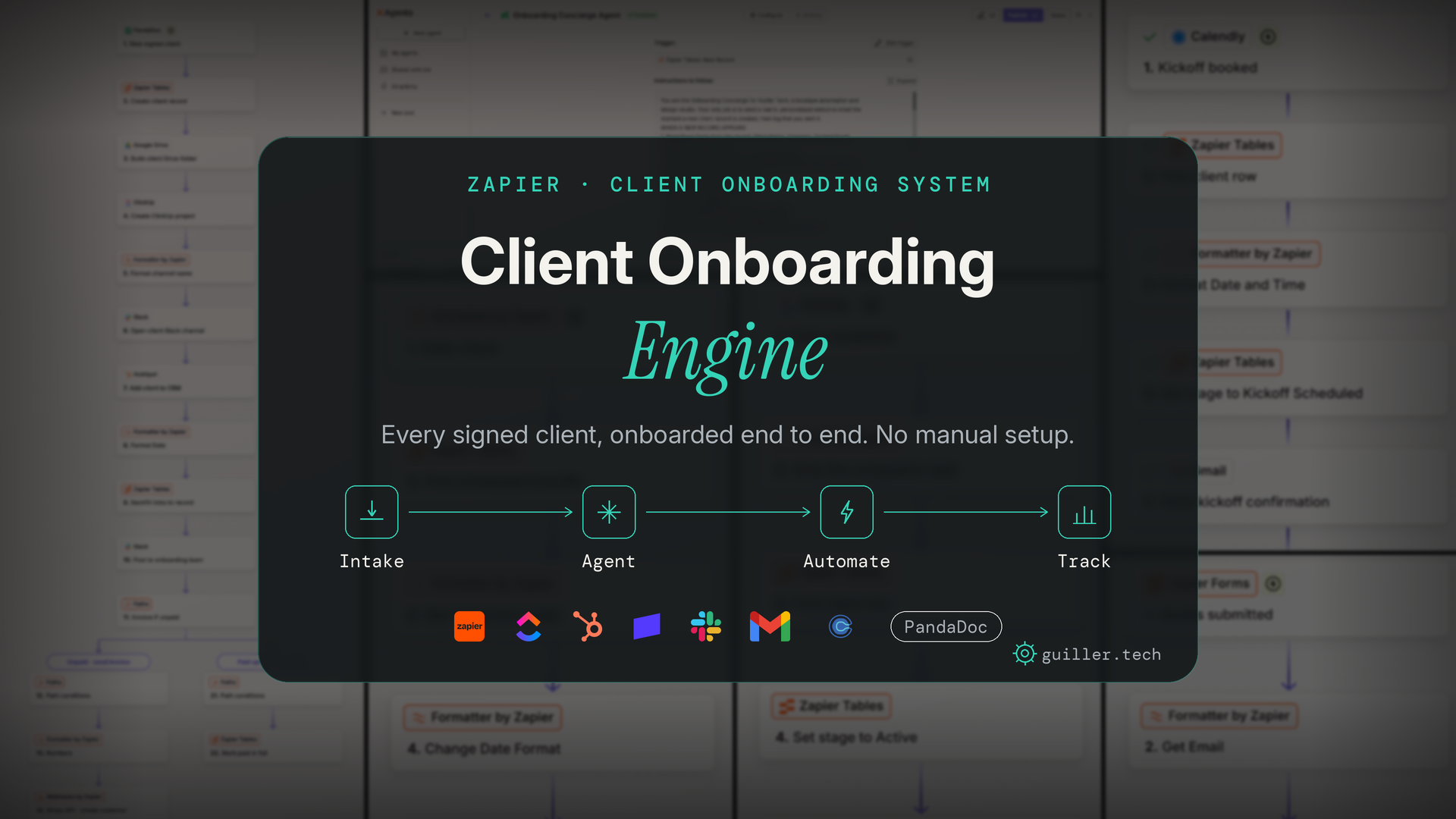
Onboarding a new client is a scramble. Contracts, invoices, folders, projects, Slack channels, welcome emails, all of it manual, all of it easy to miss. I built the Client Onboarding Engine to do the entire thing automatically. A client signs their agreement, and in seconds they have a record, a folder structure, a project, an invoice, a Slack channel, and a personalized welcome from an AI agent, with the whole pipeline visible on a live dashboard.
01 — Overview
The whole system, in two minutes.
Here’s a short walkthrough of the complete build, from a signed contract to a fully onboarded client, every workflow, table, and agent working together inside Zapier.
How the pieces connect
One signature sets off the entire onboarding. Every folder, task, invoice, and welcome email fires automatically, and every client lands on a live pipeline the whole team can see, with zero manual setup.
02 — What I built
One connected system, built across the whole Zapier stack.
This isn’t a single Zap. It’s a full operation spanning intake forms, a five-Zap automation core, a database of record, an AI agent, and a live dashboard, designed so a signed client goes from contract to fully set up without anyone lifting a finger.
Master onboarding automation
One trigger that creates the record, folders, project, Slack channel, CRM contact, and invoice in sequence.
Hand-built Stripe invoicing
Direct API calls to Stripe for customer, invoice, and send, built by webhook where the native connector wasn't an option.
4 supporting workflows
Kickoff scheduling, kickoff reminders, and two stage-sync automations that keep the pipeline current.
AI onboarding agent
Reads each new client and writes a personalized welcome email, running on its own guardrails.
Client database (Tables)
A single source of truth holding every client's stage, details, and links.
2 intake forms
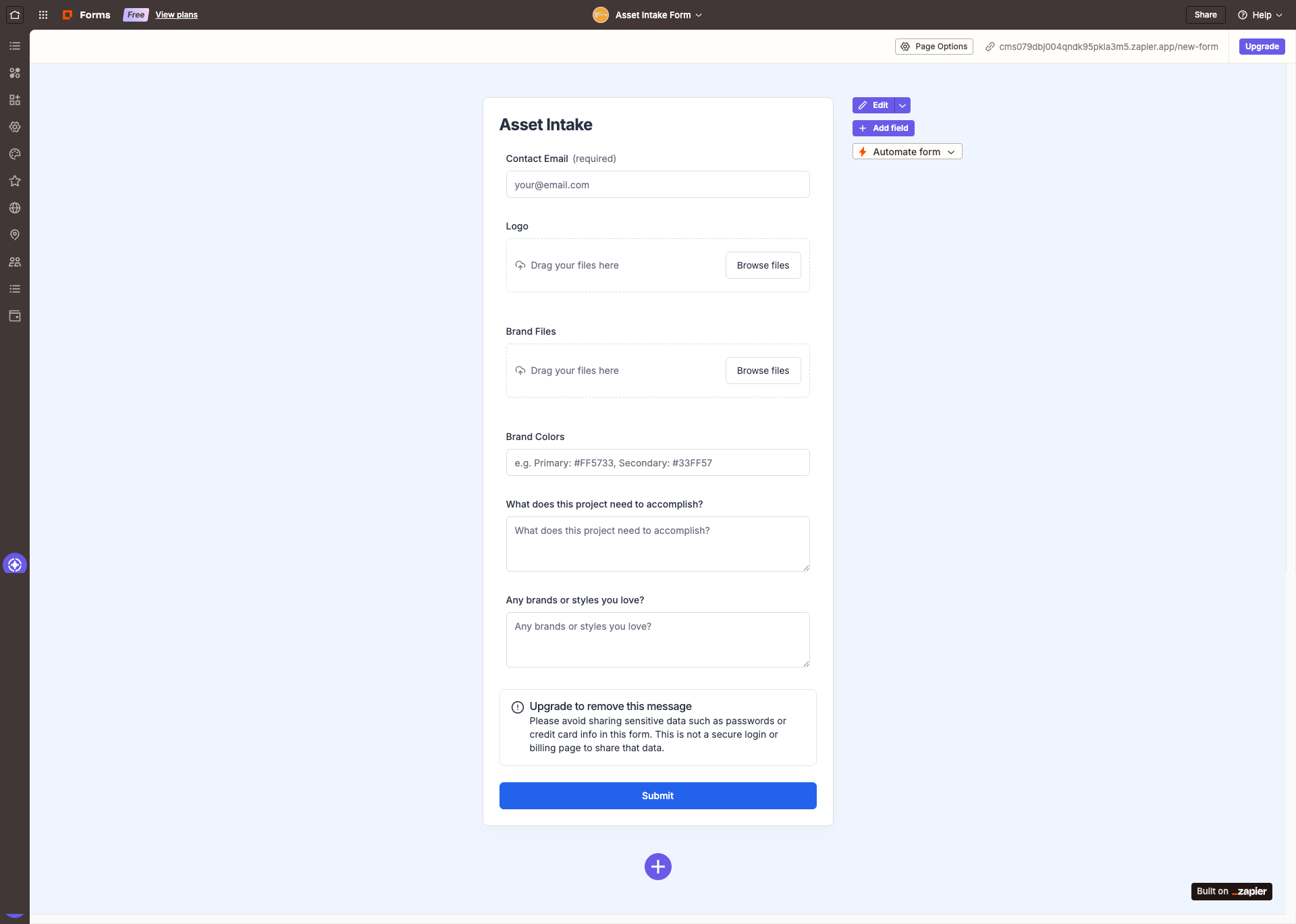
A new-client form and an asset-intake form, both feeding the automations directly.
Live pipeline dashboard
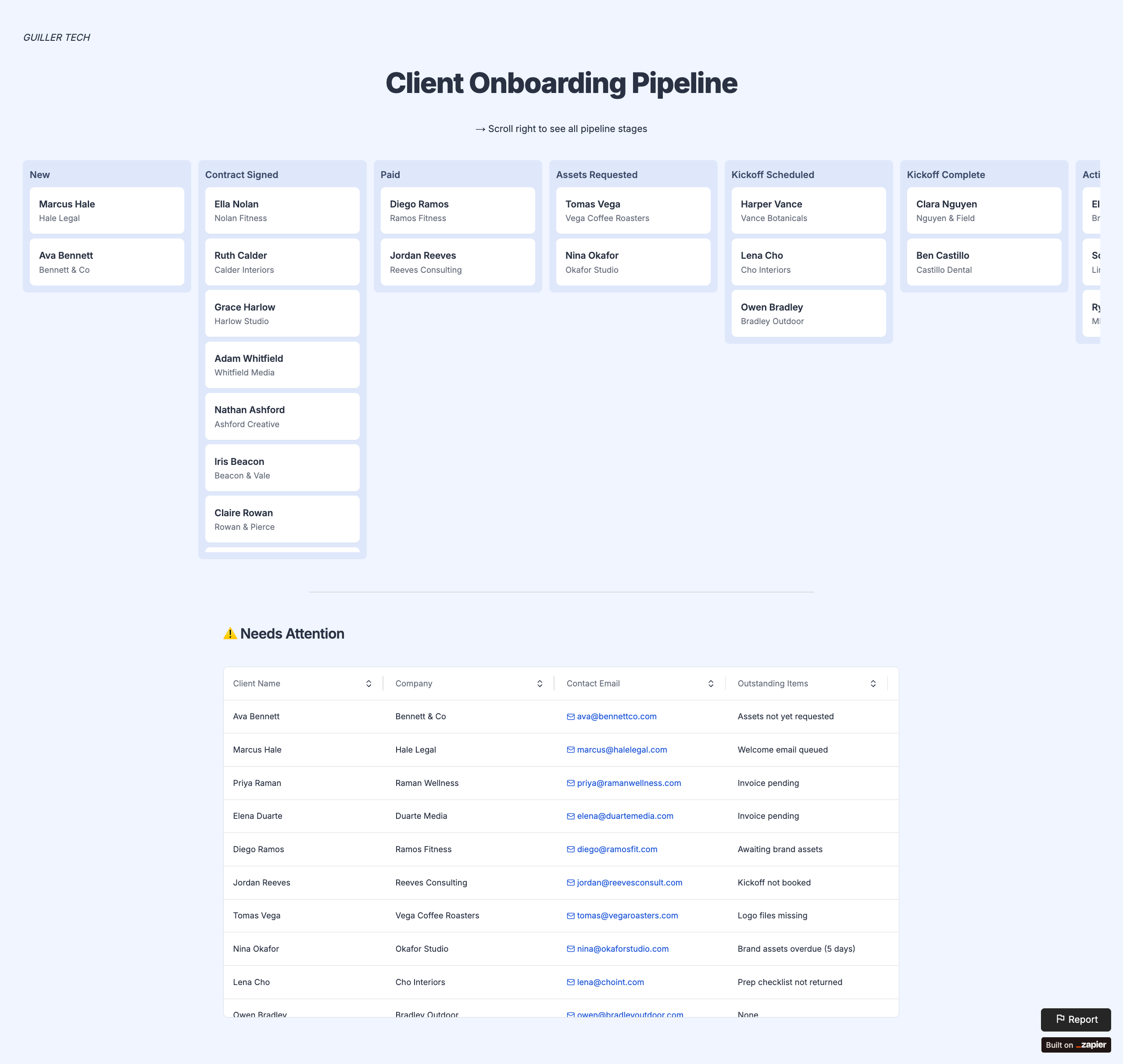
A kanban board that shows every client and stage, updating on its own.
System diagram (Canvas)
A full map of how every form, Zap, table, and agent connects.
Built across the full Zapier product suite, Zaps, Tables, Interfaces, an AI Agent, and Canvas, plus PandaDoc, Stripe, ClickUp, HubSpot, Google Drive, Slack, Gmail, and Calendly, all wired into one flow.
The shift
Before a system vs. after.
- —Every signed client kicks off an hour of manual setup
- —Someone has to remember to send the invoice
- —Folders and projects built by hand, differently each time
- —Welcome emails written from scratch, or forgotten
- —No shared view of where each client is in onboarding
- —Steps slip through the cracks under a busy month
- —The team finds out what's ready by asking around
- ✓The whole setup happens in seconds, automatically
- ✓The invoice is created and sent the moment they sign
- ✓Identical folder structure and project every time
- ✓An AI agent writes a personal welcome for every client
- ✓A live dashboard shows every client and stage
- ✓Nothing is missed, the system runs the checklist
- ✓Every step posts to a shared Slack channel
03 — The intake layer
Onboarding starts with a signature, not a to-do list.
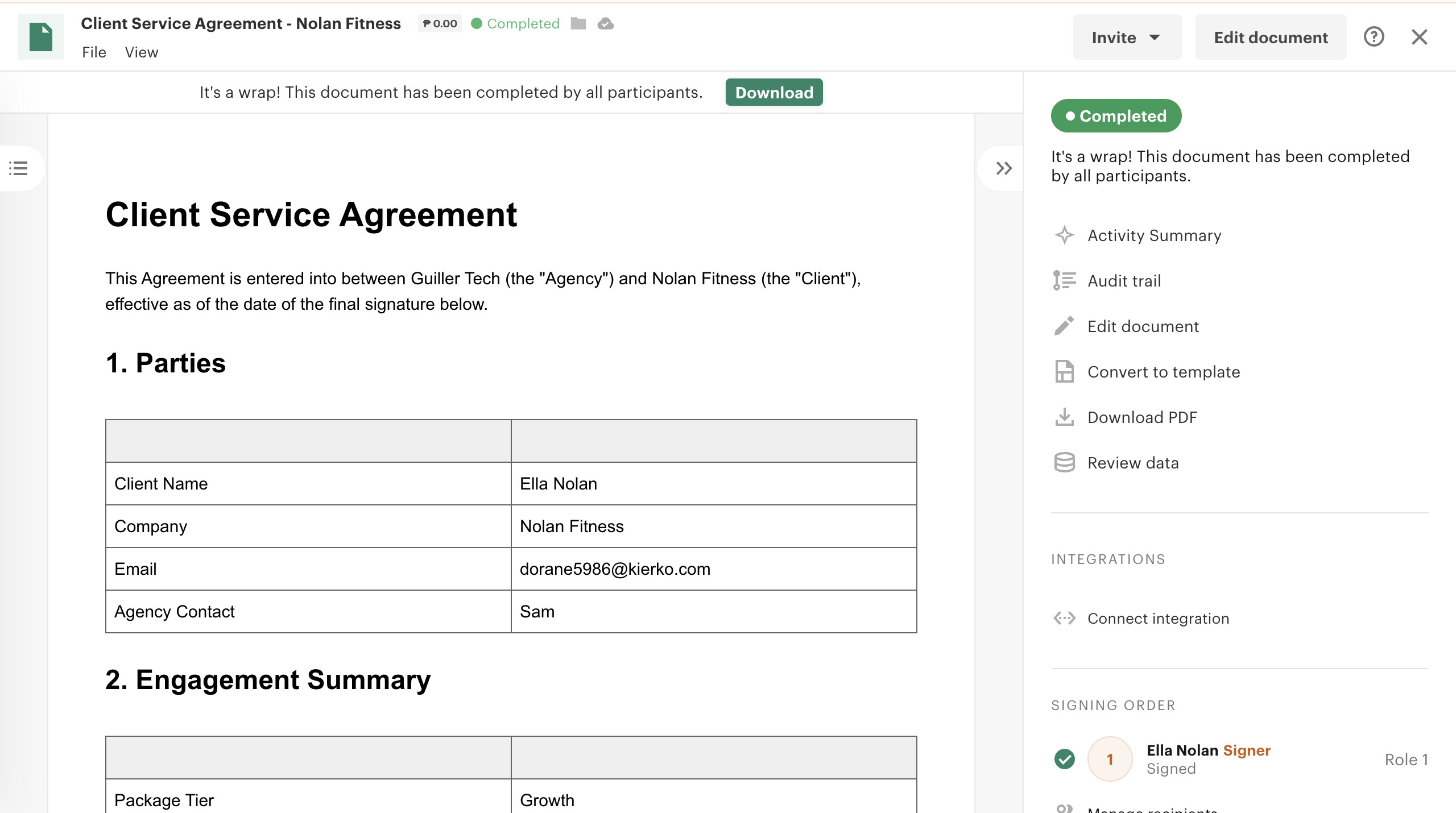
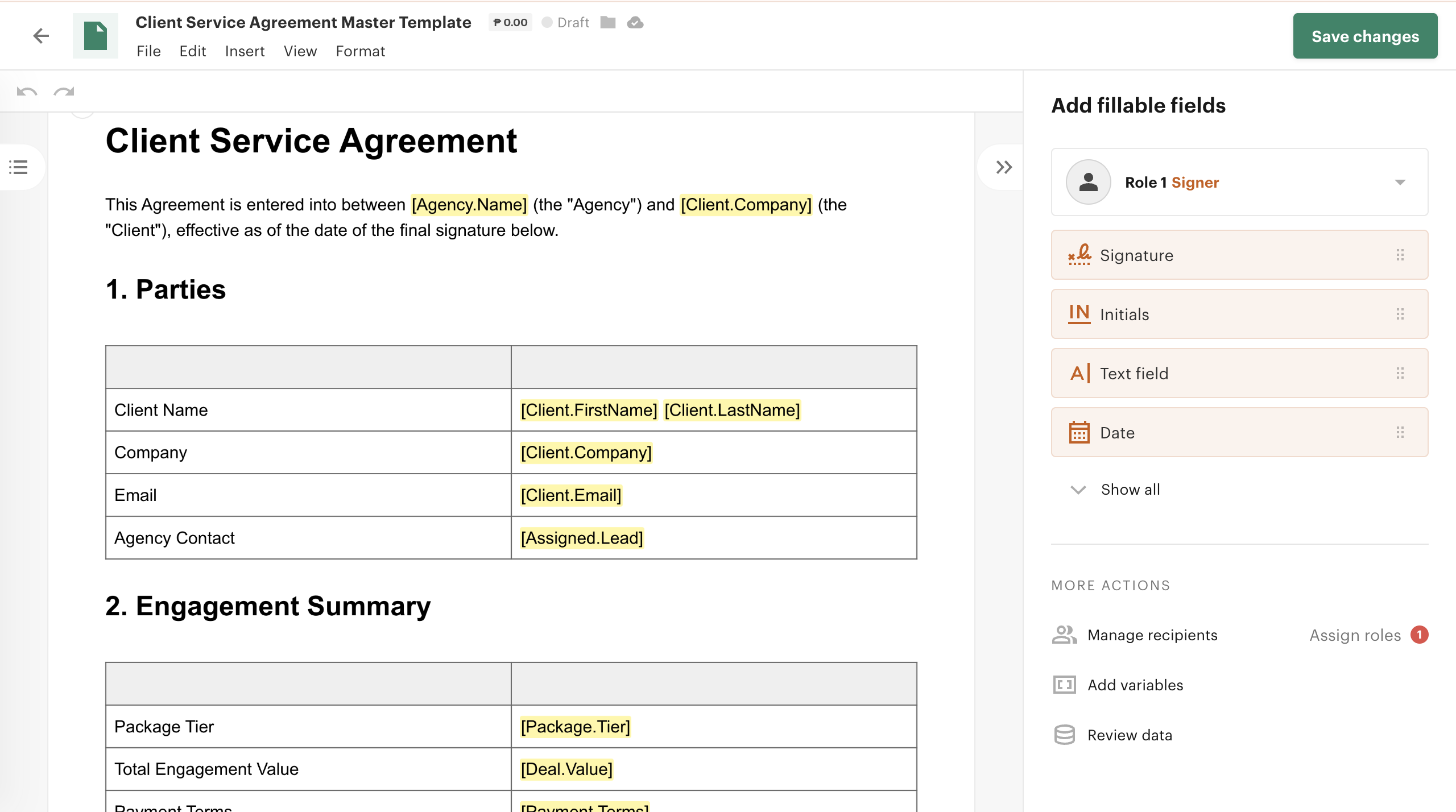
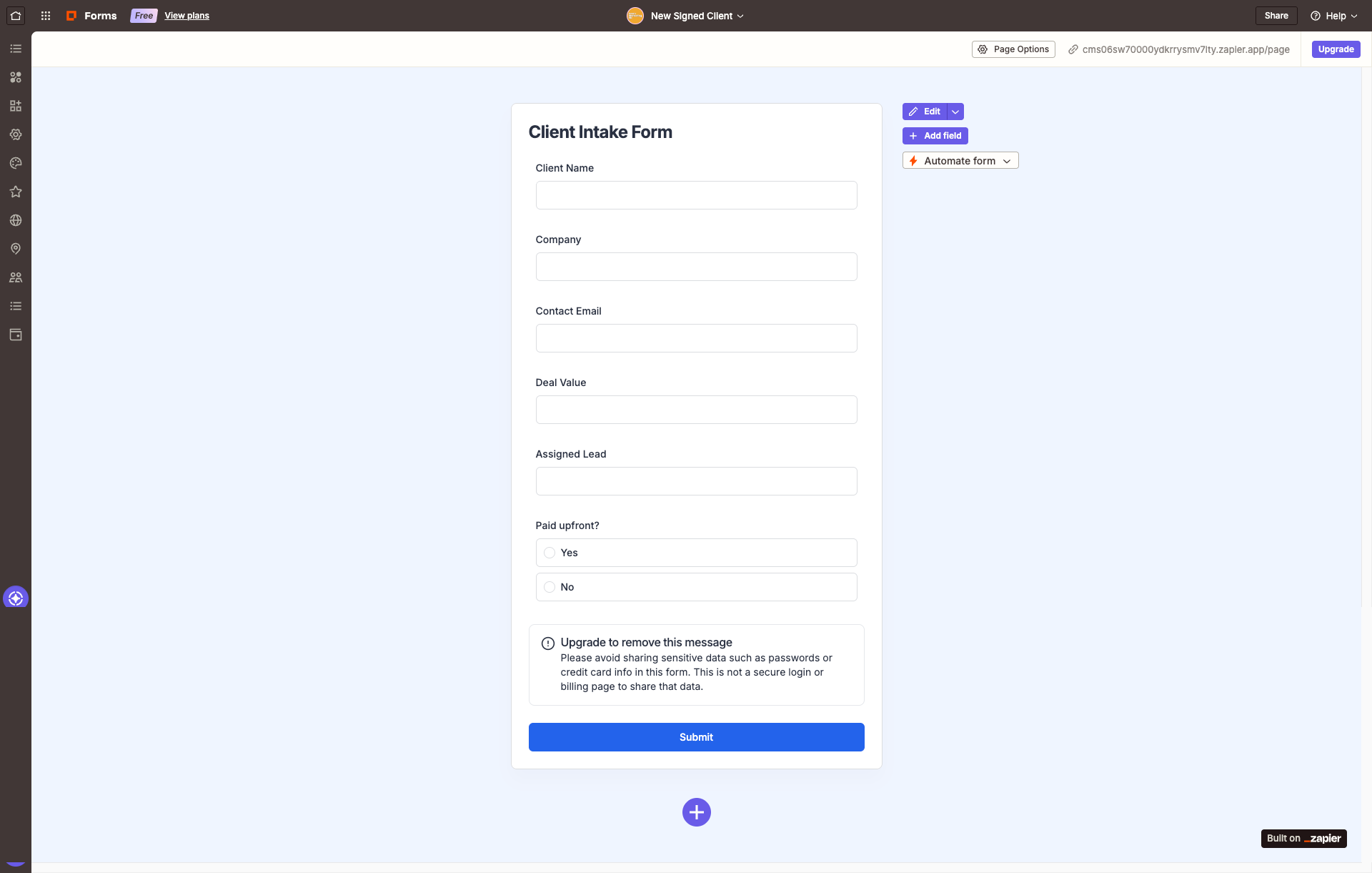
The whole system is triggered by a signed agreement in PandaDoc. I built the contract as a reusable template with the client’s details and package terms passed in automatically, so the moment it’s signed, every piece of data the automation needs is already in hand. Two intake forms feed the rest: a new-client form and an asset-intake form for brand files.
04 — The master automation
One signature, thirteen steps, zero manual work.
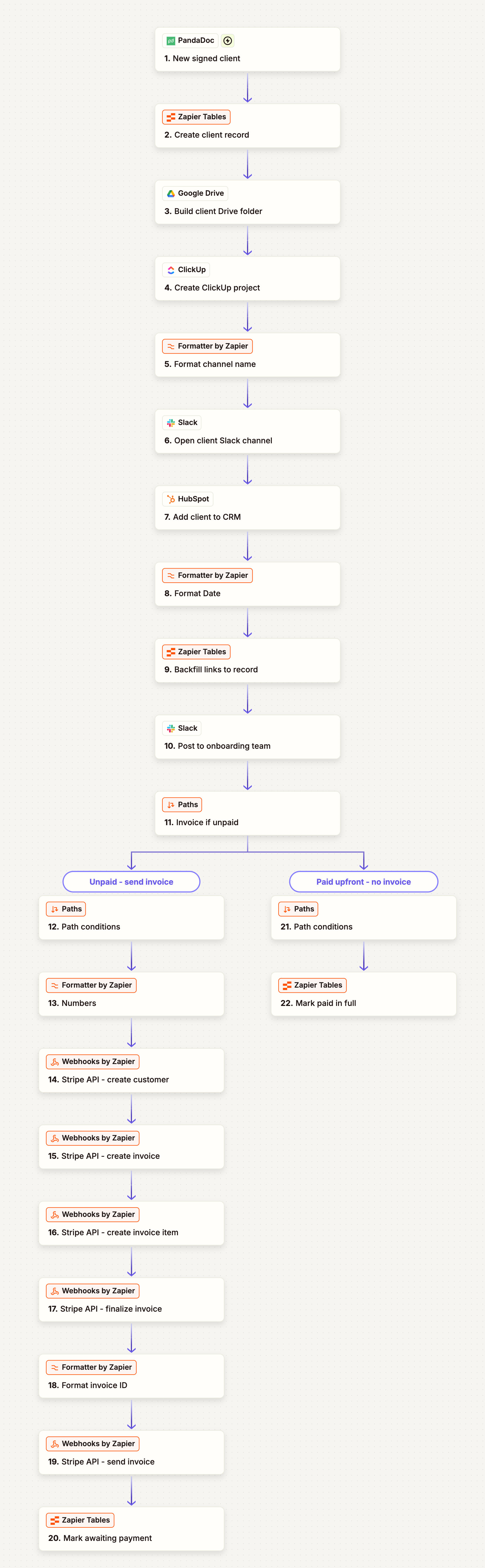
This is the engine. When a contract is signed, a single Zap runs the entire onboarding in sequence: it creates the client record, builds the Google Drive folder, spins up the ClickUp project, opens a Slack channel, adds the client to HubSpot, backfills every link back to the record, notifies the team, and then branches on payment terms to send a Stripe invoice. Every step feeds the next.
 Tap to explore
The complete onboarding automation, every step and the payment path.
← slide to see all 3 →
Stripe’s native connector isn’t available for every account or region, so I built the invoicing by hand: direct API calls that create the customer, build the invoice, and send it. More work, but it meant understanding the full invoice lifecycle instead of trusting a black box.
05 — Supporting workflows
Four workflows that keep onboarding moving.
The master Zap sets a client up. These four keep them progressing. Each triggers on a real event, a booking, a schedule, a completed task, an uploaded asset, and updates the client’s stage so the pipeline is always current.
Sets the client's stage and kickoff date, confirms by email, and posts the booking to the team.
Checks for kickoffs happening the next day and sends a 24-hour reminder to the client and team.
Advances the client to Active in the table and CRM when the final onboarding task is done.
Updates the client's stage the moment their brand assets come in through the intake form.
06 — The AI agent
An agent that welcomes every client personally.
A plain automation can send a template. The Onboarding Concierge writes a real welcome. When a new client record appears, the agent reads their name, company, package, and assigned lead, and writes them a personalized welcome email, different every time, with their kickoff link and everything they need to start. It runs on a set of guardrails so it stays on-brand and never oversteps.
How the agent works
The agent handles the judgment work, writing a genuine, personal welcome, while deterministic reminders run as scheduled Zaps. The right tool for each job: an agent where wording matters, a workflow where timing does.
← slide to see all 3 →
07 — Data & dashboard
One source of truth, one live view.
Every workflow reads from and writes to a single Zapier Table, the system of record for onboarding. It holds each client’s stage, details, and links, and drives a live kanban dashboard. As the automations move a client from signed to active, their card moves across the board on its own, so the team always sees the real state of every onboarding.
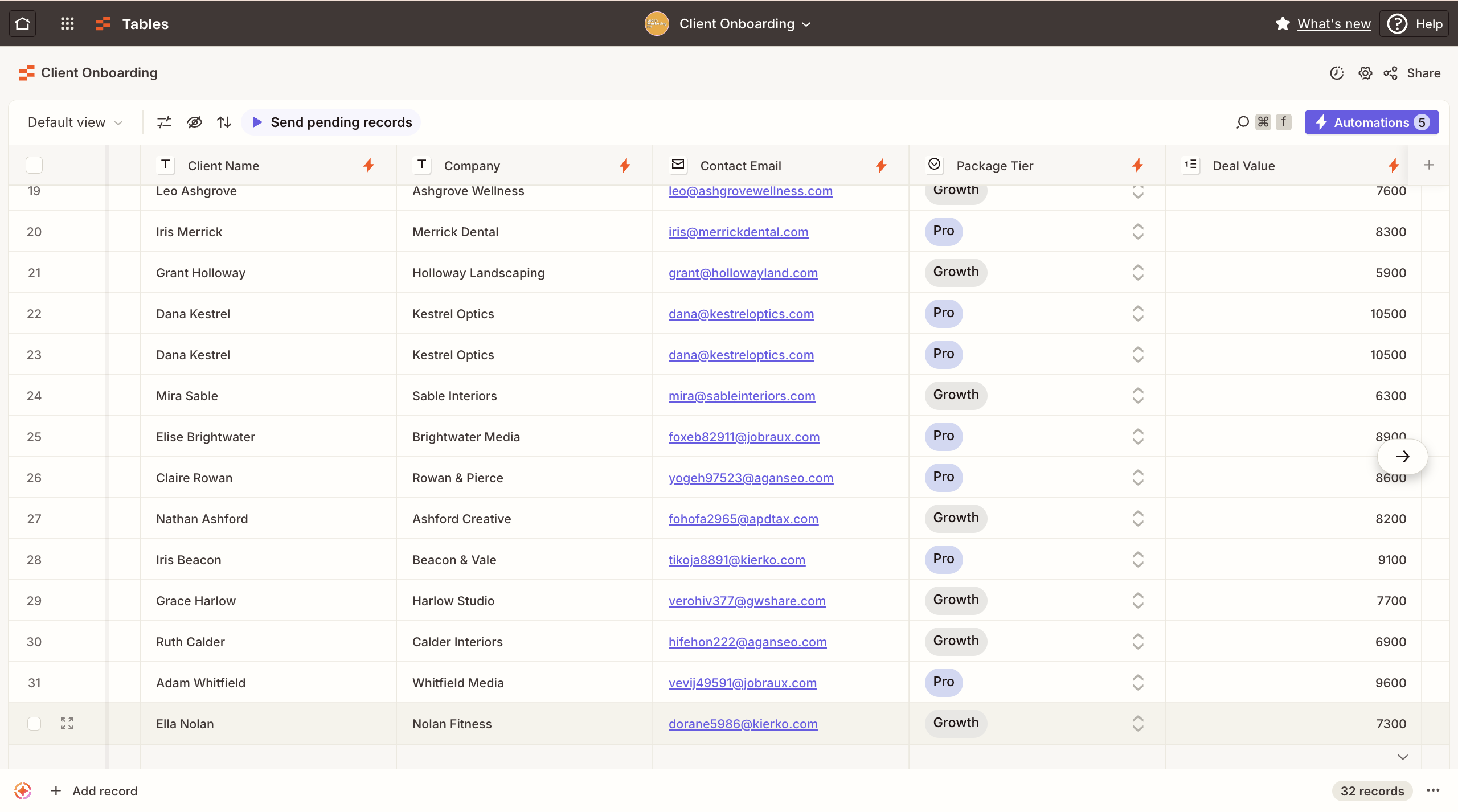
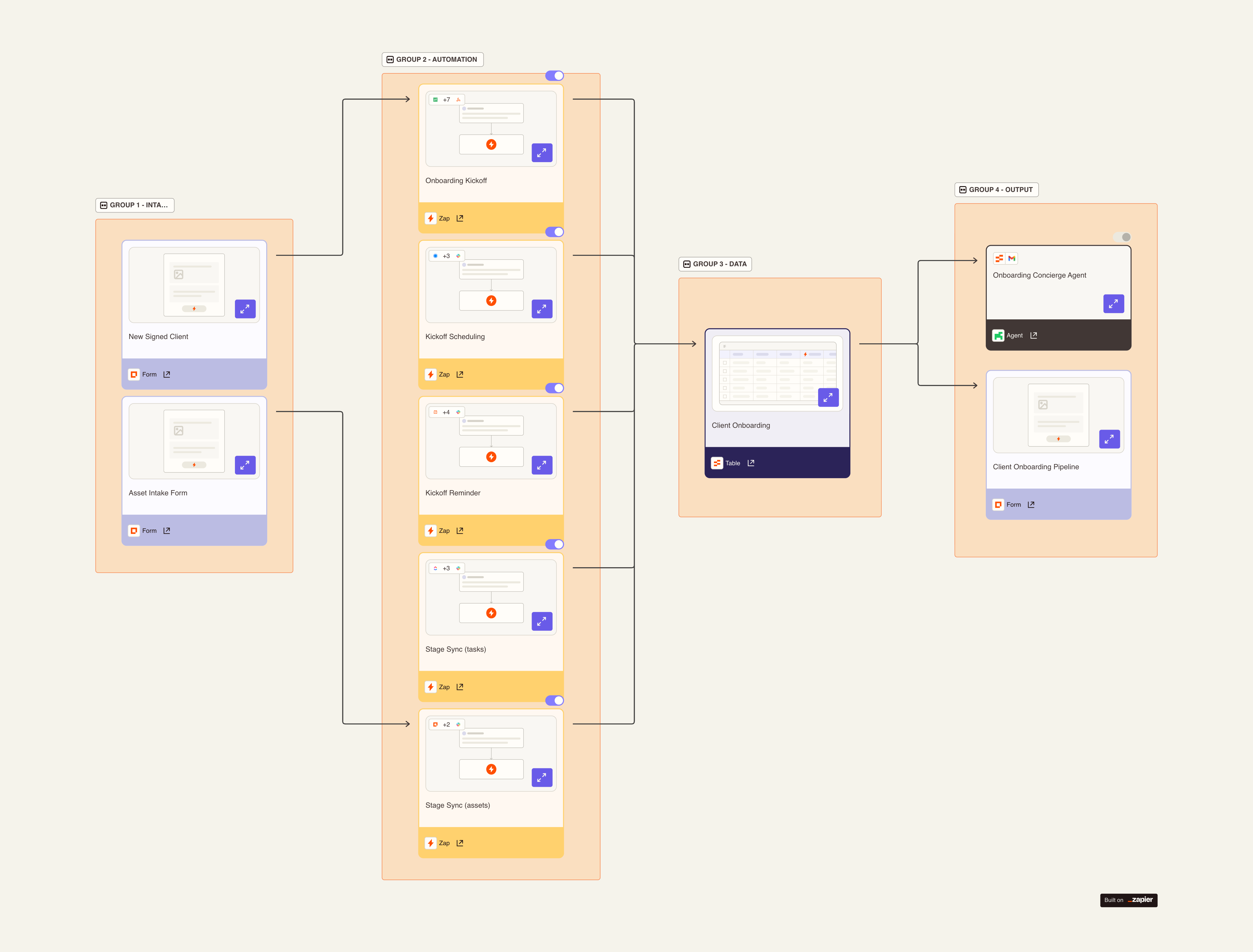
Backed by a structured schema, typed dropdown stages, and a Canvas diagram documenting how all eleven pieces connect, so the system is as readable as it is automated.
08 — Results
The hour that disappears every time someone signs.
Built and tested end to end as a working system. The numbers below reflect what the build does per client and are grounded in the manual baseline it replaces. Actual time saved scales with how many clients an agency onboards each month.
The invoice is the part worth pricing. Manually, it goes out whenever someone remembers, typically two to five days after signature. Here it fires in under 30 seconds. Across ten engagements a month that pulls days out of the collection cycle on every single one, without anyone chasing it.
The ~75 minutes reflects a typical manual onboarding baseline, not a measured average from a specific agency. Read it as the effort the system removes per client, confirmable against a team’s own process.
The real outcome isn’t any single number, it’s consistency. Every client gets the same fast setup, the same invoice, the same personal welcome, the same clean handoff. Nothing depends on someone remembering to do it in a busy month.
Want a system like this for your business?
I design and build automation and AI systems in Zapier, workflows, agents, and dashboards, that run your operations without the busywork. If you’re an agency or service business tired of onboarding, invoicing, or follow-up eating your team’s time, let’s talk.