
How I Got Stripe Invoices Working in Zapier Without a Verified Account
No native connector, no verified account, no supported country. Here's the workaround, and the one small fix that took me way too long to find.
If you’re building something with Stripe in Zapier and you’re not in a country Stripe fully supports, this one’s for you. I lost a good chunk of time on this, so hopefully it saves you some.
I was building a client onboarding system. Client signs a contract, and the automation sets everything up for them, including sending an invoice. Simple enough on paper. Then I hit the wall.
The wall: no native Stripe for me
I’m from the Philippines. Stripe doesn’t fully support it, so I don’t have a verified live account, and for testing I only had a sandbox. Turns out you can’t connect a Stripe sandbox or an unverified account to Zapier’s native Stripe app. So the clean, pre-built Stripe steps everyone uses in tutorials? Not an option for me.
I could’ve stopped there. Instead I went the other way and called the Stripe API directly using Webhooks by Zapier. More work, but honestly it taught me way more about how Stripe actually works under the hood.
Building the invoice chain by hand
Sending an invoice in Stripe isn’t one step. It’s a chain, and each call feeds the next.
- 1Create the customer
- 2Create the invoice
- 3Create the invoice item and attach it to that invoice
- 4Finalize the invoice
- 5Send the invoice
Each step is an HTTP POST to the Stripe API with your test secret key in the header. You grab the ID from one response and map it into the next. Customer ID into the invoice, invoice ID into the item, and so on.
Four of the five worked first try. The last one didn’t.
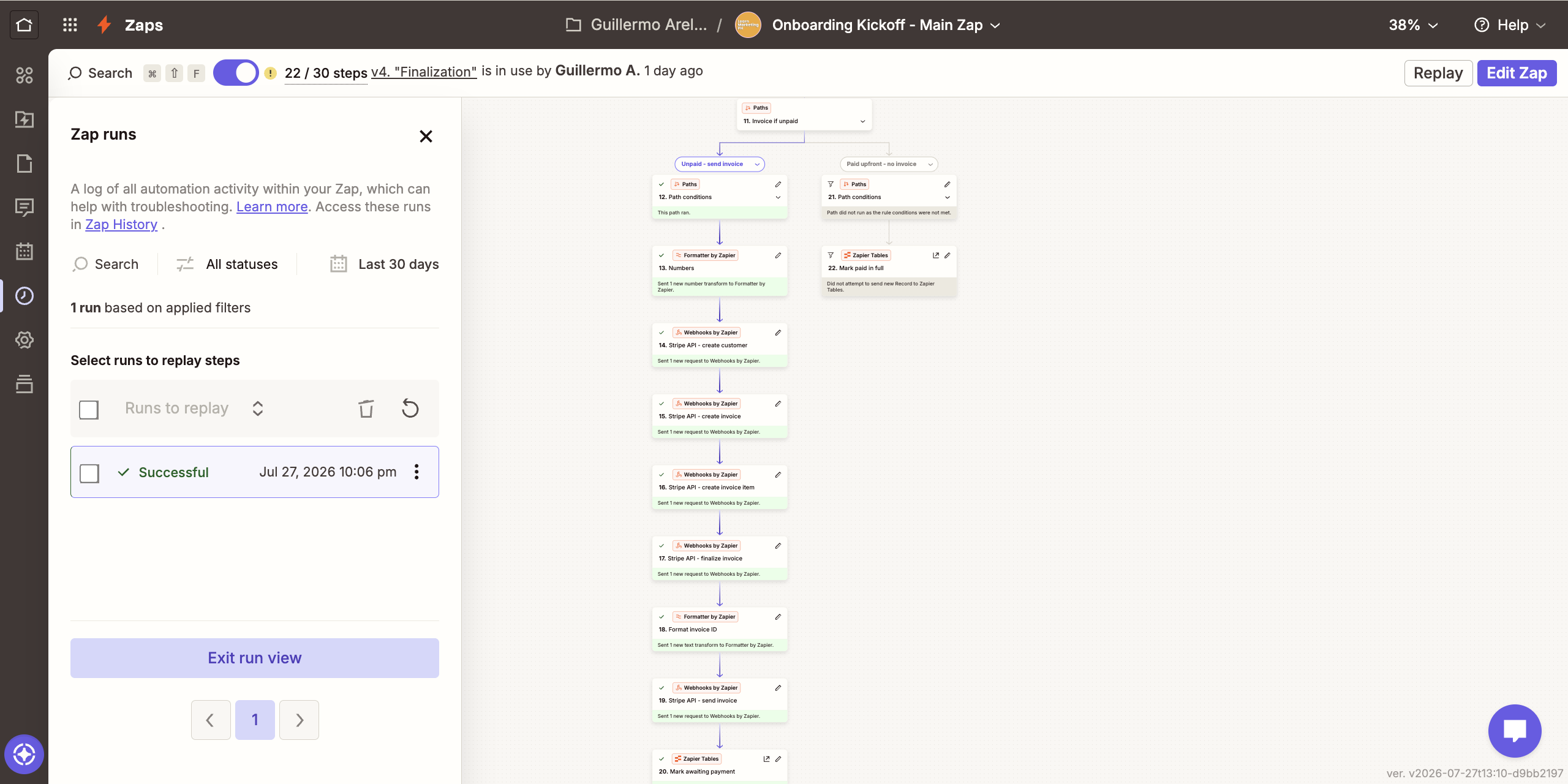
Where it broke: the send step
The send call kept failing. The endpoint is straightforward, you just drop the invoice ID into the URL like this.
https://api.stripe.com/v1/invoices/{invoice_id}/sendBut when I mapped the invoice ID straight from the previous step into that URL, it wouldn’t go through. The call couldn’t read the mapped ID properly inside the URL. I tried a bunch of things. Checked the headers, the auth, the data fields, the order of steps. Everything else was clean. It came down to how that mapped ID was landing in the URL.
The fix
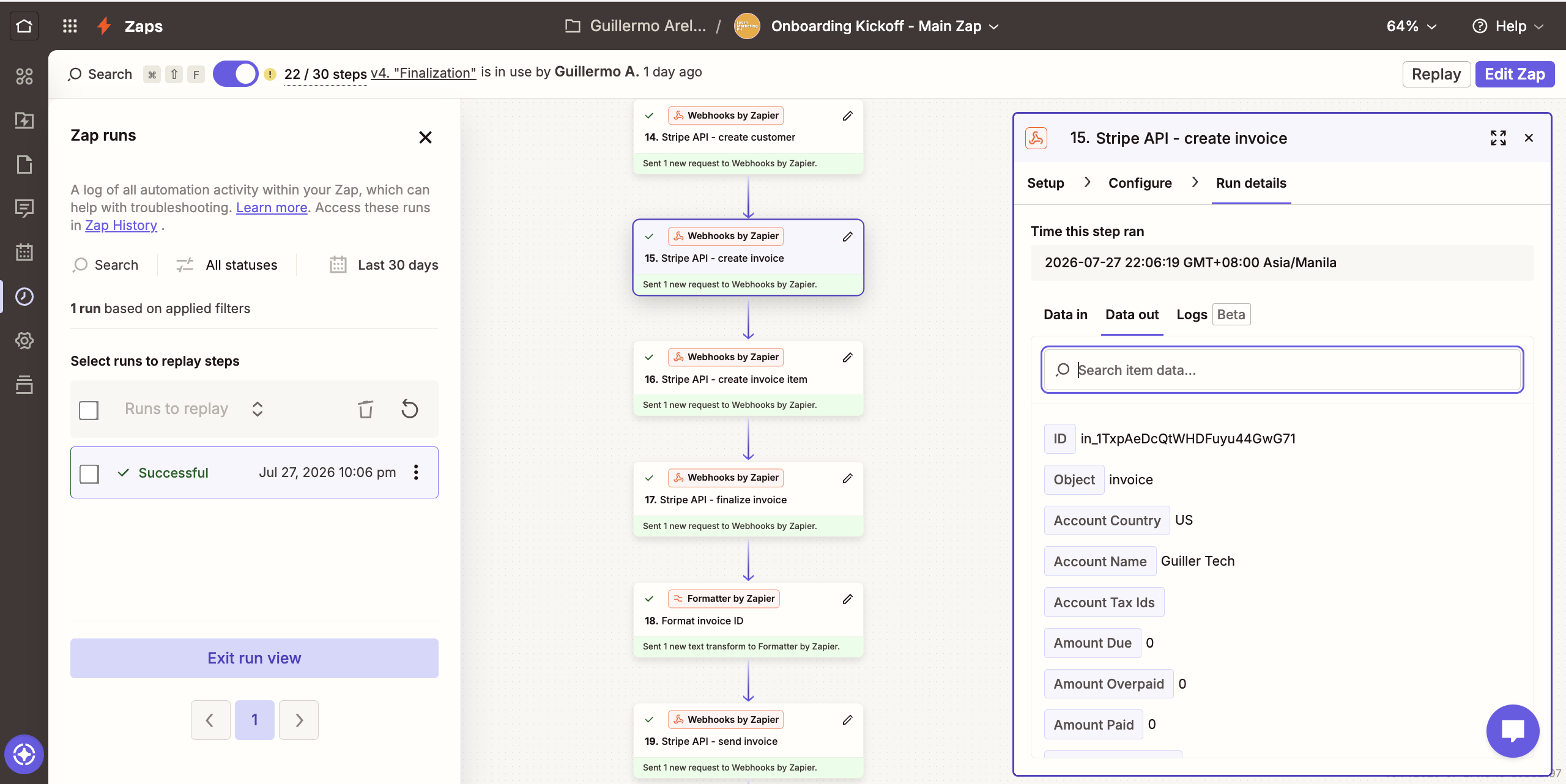
I added one small step right before the send call: a Formatter step to run the invoice ID through URL Decode, so it comes out as clean, plain text.
Then I mapped that cleaned-up value into the send URL instead of the raw one. That was it. The call went through, and the invoice sent.
One extra step. That’s the whole fix. But it’s the kind of thing that isn’t really written down anywhere, so you’d never guess it, you just have to hit it and dig your way out.
What I took from it
Two things stuck with me.
Not having the native tool wasn’t the dead end it felt like. Going the API route meant I actually understood the whole invoice lifecycle instead of just clicking a pre-built step.
That’s a better place to be.
Most of the real work in automation is troubleshooting. The build is the easy part.
The value is in sitting with the thing that won’t work and figuring out why. This one was a single formatting step hiding behind a vague error, and finding it felt great.
If you’re in an unsupported country and thought Stripe testing was off the table in Zapier, it isn’t. You just build it yourself.
From the case study
Client Onboarding Engine
This hand-built Stripe invoicing technique is the same one running inside the full onboarding automation. See the whole system.

Stop losing customers at the front desk.
Book a free 30-minute call. We'll walk through where your leads come in and where they leak, and you'll leave knowing what it's costing you. No pitch, just a straight diagnosis.
Free · No obligation · 24h response